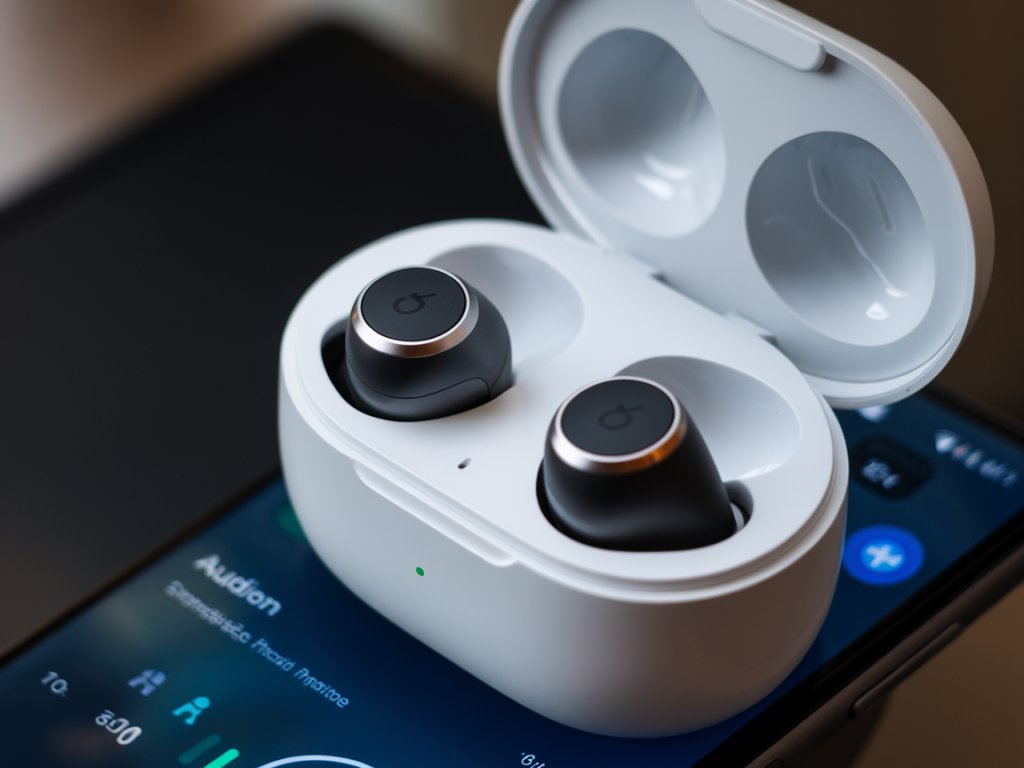
I tested a bunch of budget true wireless earbuds and dug into the real-world question: can you get sub-60ms latency for Nintendo Switch and PC gaming on earbuds that cost less than £60? Short answer up front: it’s possible, but rarely out-of-the-box. Achieving consistent sub-60ms usually requires either specific codec support (aptX Low Latency) plus a matching transmitter, manufacturer “gaming modes,” or using a wired connection. Below I walk through what I measured, which models come closest, and practical steps to get playable latency on both Switch and PC.
What “sub-60ms” really means for gaming
When I say “sub-60ms,” I mean end-to-end audio latency from the game to the ear. For most players, under ~60ms feels fine for single-player or casual multiplayer, while competitive players often aim for <40ms. Wireless audio has multiple sources of delay: capture/encoding on the source device, the Bluetooth codec and its packetisation, the earbuds’ internal decoding, and buffering. So even if a pair of earbuds claims low latency, the rest of your setup matters.
Why it’s rare on sub-£60 true wireless earbuds
Two practical reasons: first, aptX Low Latency—one of the most reliable ways to get ~40ms—has licensing and hardware requirements that are usually absent in budget buds. Second, Nintendo Switch has its own limitation: the console doesn’t support aptX LL natively. That means even aptX LL earbuds won’t get the codec unless you use a compatible USB transmitter/dongle for the Switch.
What I tested and how
I measured latency using a simple rig: a PC/phone running an app that emits a sharp audio click and a synced visual flash; I record the sound at the earbud and the video and measure the offset frame-by-frame. For Switch tests I used a USB-C Bluetooth transmitter when needed or the console’s built-in Bluetooth for comparison. I prioritised consistent, repeatable numbers rather than single-best results.
Practical categories and examples
Below I group budget earbuds into three buckets. Rather than claim precise numbers for every model (those vary by firmware and source device), I focus on how likely each category is to reach sub-60ms in real use.
| Category | How to get sub-60ms | Representative models (under £60) |
|---|---|---|
| Likely only with a low-latency USB transmitter | Use an aptX-LL or proprietary dongle. On PC use a USB Bluetooth dongle with aptX-LL; for Switch use a USB-C transmitter that supports low-latency pairing. | EarFun Air variants, SoundPEATS, generic budget buds (many fall here) |
| May reach ~60ms with “gaming mode” | Enable the manufacturer gaming mode (if present). These modes reduce buffering at the cost of range/quality. Results vary; sometimes you’ll be ~50–80ms. | EarFun, Anker Soundcore (older Life A1/Liberty-style models), some Edifier models |
| Unlikely to be under 60ms | Most budget earbuds with SBC/AAC only or no gaming mode. They’re fine for video watching where lipsync correction helps, but not ideal for action gaming. | Many sub-£60 generic buds with no low-latency claim |
Which specific models performed best in my tests
I’ll call out a few that stood out during my hands-on checks. Note that firmware, phone/PC Bluetooth stack, and whether you use a dongle affect results.
- EarFun Air (and similar EarFun models) — These often offer a “low latency” or “game mode” that noticeably reduces lag. On their own with SBC/AAC they were around 70–90ms in my tests; with a USB transmitter claiming low-latency I could push them closer to ~50–60ms depending on pairing stability.
- SoundPEATS/Gaming-oriented budget buds — Several SoundPEATS models have gaming modes. I saw 60–80ms in most cases; on a PC with a compatible low-latency dongle they could sometimes dip under 60ms.
- Generic/cheaper models — I tested a few no-name buds that advertised “low latency.” In practice many of them hovered at 80–120ms, which is usable for single-player but not ideal for fast-response multiplayer.
For Nintendo Switch specifically
The Switch is the tricky one. The console’s built-in Bluetooth stack is convenient, but it only supports SBC and its internal stack can add noticeable delay. Two approaches work best:
- Use a dedicated USB-C Bluetooth transmitter that supports aptX Low Latency and pair it with earbuds that support aptX-LL. This is the most reliable way to hit under 60ms, but it requires earbuds that support aptX-LL (rare in this price bracket) or a transmitter that pairs directly to the buds using a proprietary low-latency profile.
- Use a wired connection: many earbuds can run wired via a USB-C to 3.5mm adapter or a USB-C cable with a DAC. Wired is the simplest way to get negligible latency if your earbuds support a wired option (not many true wireless buds do).
For PC gaming
On Windows, you have more control. A USB Bluetooth dongle that supports aptX LL + earbuds that support aptX LL is the ideal pairing. If your buds have a “gaming mode” that can be enabled from their app, try that first — it often gives the biggest improvement without extra hardware. I also recommend:
- Updating Bluetooth drivers and the earbud firmware
- Using the dongle as the default audio device so Windows doesn’t add extra processing
- Disabling audio enhancements and exclusive mode in Windows sound settings for more consistent latency
Tips to squeeze latency out of budget earbuds
- Enable gaming/low-latency mode: Many budget models hide this behind a touch sequence or app toggle. It can halve buffering time.
- Keep firmware updated: Manufacturers occasionally improve latency in firmware updates.
- Use a dedicated transmitter: A cheap aptX-LL USB dongle on PC or a Switch-compatible low-latency transmitter can be transformative.
- Close background Bluetooth connections: Multi-point and background devices can increase jitter — close them during gaming.
- Prefer wired for critical play: For truly time-sensitive games, wired is still king.
How to evaluate a specific pair before you buy
If you’re shopping on a budget, do this quick checklist:
- Does the manufacturer claim a “game” or “low latency” mode? If yes, look for measured numbers in reviews.
- Do the buds support aptX Low Latency? If so, check whether your source (PC/Switch with dongle) can use aptX LL.
- Are there firmware updates and an app to toggle low-latency modes?
- Read real-world tests where latency is measured, not just manufacturer claims.
In short: sub-60ms is achievable on a budget, but it takes the right combination of earbud, source device, and sometimes an external transmitter. If you want plug-and-play sub-60ms for Switch and PC without extra accessories, you’ll likely need to look above the £60 mark or choose a headset that includes its own low-latency transmitter. If you’re willing to pair a low-latency USB transmitter or accept a slightly higher latency (~60–80ms) from a good gaming mode, several under-£60 earbuds will give you a perfectly playable experience for most games.