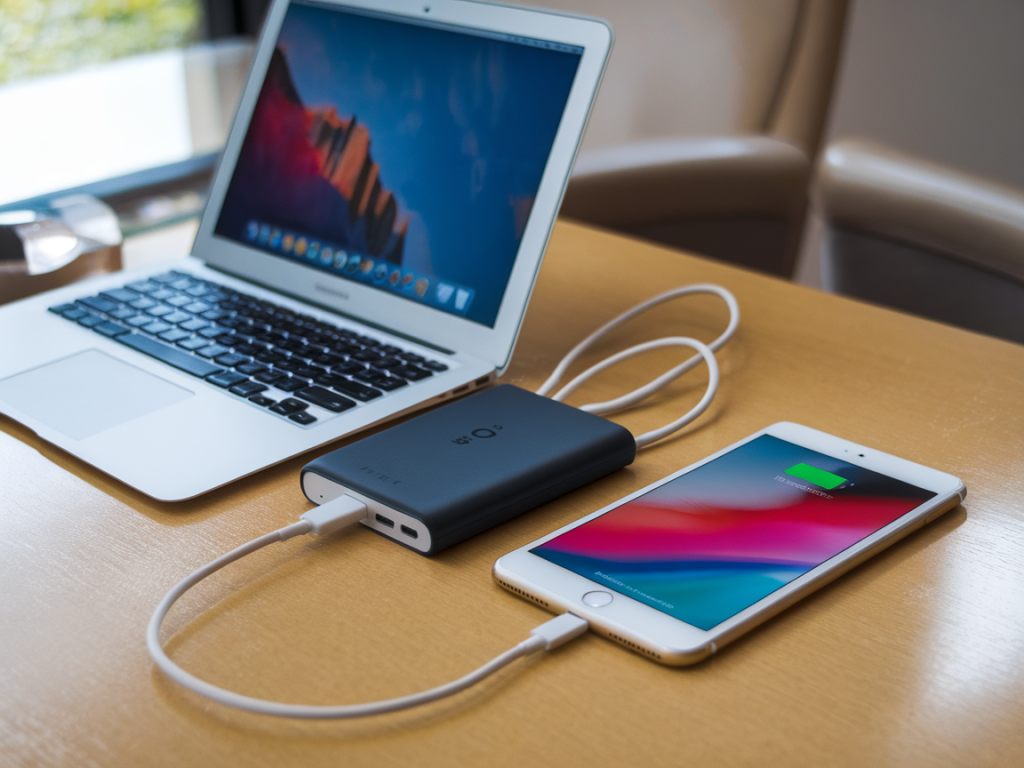
I spend a lot of time on the road testing chargers, cables and laptops, so I’ve learned what actually matters when you’re trying to charge a MacBook Air quickly without trashing the batteries in your phone and tablet over a multi-day trip. The right pocket power bank and USB-C cable combo is about more than raw wattage — it’s about power delivery negotiation, thermal management, and matching the chemistry and charging curves of each device you carry. Below I walk through what I look for, what to avoid, and the specific combos I’ve repeatedly reached for during trips.
Why picking the right combo matters
It’s tempting to grab the highest-wattage bank and the thickest USB-C cable you can find and call it a day. That often works to move electrons, but it doesn’t guarantee healthy, fast charging for every device in your kit. Modern devices use smart charging protocols: MacBook Air takes advantage of USB Power Delivery (PD) and will request a certain voltage/current profile, while phones and tablets may prefer lower-voltage fast-charge profiles (like 9V/2A or 12V/2A) and then taper to trickle to protect battery health. If the bank or cable mishandles negotiation, you can end up with slower-than-expected charging for the MacBook, overheating, or aggressive charging that accelerates battery wear on phones and tablets.
What I check on a bank
- True PD support: The bank must implement USB Power Delivery with proper voltage levels (5V, 9V, 12V, 15V, 20V) and be able to sustain the wattage it advertises. Look for PD 3.0 or later.
- Rated wattage under real use: Many banks advertise a peak wattage but can’t sustain it for long. I prefer banks that list continuous output — e.g., 60W sustained rather than 65W peak.
- Battery capacity vs. size: For a pocket option that still charges a MacBook Air (M1/M2), 20,000 mAh is a sweet spot if you want at least one top-up on a long flight. If you prioritize size, 10,000–12,000 mAh banks that can deliver 30–45W will still give a meaningful boost.
- Thermal design: Banks that get very hot under load will throttle, and heat accelerates battery aging. I check reviews and hands-on tests for thermal throttling behavior.
- Multiple ports and smart distribution: If you’ll charge a MacBook and phone simultaneously, the bank needs sensible power distribution (e.g., 65W total with 45W to USB-C1 and the remainder shared across other ports).
- Safety features: Over-voltage, over-current, temperature cutoffs and certified cells (LG/Samsung/Sony) are important for long trips.
What I check on a USB-C cable
- PD-capable with e-marker: For anything over 3A you want an Active or e-marker USB-C cable rated for 5A/20V (100W). Some thinner cables are only rated for 3A/60W and will limit MacBook charging.
- Length vs. loss: Shorter cables (30–60 cm) have lower voltage drop and are preferable when you want max charging speed. For backpack use a 60 cm cable; for hotel desks 1 m is fine if it’s high quality.
- Durability: Braided jackets and reinforced strain relief matter when you pack cables in and out of the same pocket for months.
- Data vs. power: If you also want to use the cable for data, make sure it supports USB 2.0/3.1 speeds as needed — power-only cheap cables exist but can be useful for minimalists.
Recommended pocket power bank + cable combos I use
These are combos I’ve tested repeatedly in real-world travel scenarios. I focus on options that balance speed for MacBook Air, safe charging for phones/tablets, and portability.
| Combo | Bank specs | Cable | Why I like it |
|---|---|---|---|
| Anker 737 Power Bank (GaNPrime) + Anker 100W USB-C to USB-C (e-marker) | 24,000 mAh, 140W total output, USB-C PD up to 140W (single port 140W) | 100W e-marker, 1m | High sustained output, excellent thermal control, charges MacBook Air fast while delivering safe lower-voltage profiles for phones. |
| Zendure SuperMini 20K + Zendure SuperCord 100W | 20,000 mAh, PD 100W, compact for capacity | 100W e-marker, 60cm | Great balance of size and power; good for two-day trips where you need one MacBook top-up and multiple phone charges. |
| Baseus 65W 20,000 + Baseus 60W/100W cable | 20,000 mAh, PD up to 65W sustained | 60W or 100W depending on pick | Smaller and lighter, good if you don’t need the absolute fastest Mac charging; kinder to phone batteries because of conservative power curves. |
| Apple 35W Dual USB-C GaN Charger + Apple USB-C Charge Cable (USB-C to USB-C, 1m) | Not a bank but a compact GaN wall option I carry; pair with 10k bank for portability | Apple’s cable is 1m, works well with MacBook Air up to 35W | When I can access mains, 35W with an efficient bank for phone top-ups keeps battery health good and still provides reasonable MacBook Air charging. |
How wattage affects MacBook Air and phone battery health
The MacBook Air (M1/M2) will accept anywhere from 30W to 60W comfortably; M2 Air especially benefits from 35–67W for faster charging. Pushing higher wattage (e.g., 100W) won’t damage the Mac; the laptop negotiates its preferred draw. For phones and tablets, the concern is how fast they charge and how aggressively the charger holds higher voltages. A bank that cleanly supports PD profiles and lowers the voltage as the battery fills is kinder to battery longevity.
In practice I use this rule of thumb on trips:
- If you need full-speed MacBook Air charging, pick a bank that can sustain 45–65W on one USB-C port with a proper 5A e-marker cable.
- If you want a smaller bank and just a useful boost, a 30–45W PD bank is fine and tends to be gentler on phones because it won’t push extreme currents.
- When charging multiple devices simultaneously, watch the power distribution — some banks will cut MacBook draw to keep phones topped up, which is actually good for phone battery health over long charging sessions.
Practical tips I use on trips
- Carry two cables: One short high-current e-marker cable for the MacBook Air and a second (lighter) cable for phone/tablet. This reduces wear and power losses.
- Charge phone to 80%: If you’re concerned with battery longevity on prolonged trips, I set phones to 80% target where available (or use Optimized Battery Charging on iOS/Android).
- Avoid full-depth cycles: Use the bank to top up rather than fully depleting laptop battery routinely. Modern lithium chemistry prefers shallower cycles.
- Monitor heat: If your phone or bank feels hot, move charging to a cooler environment or reduce simultaneous loads — heat is the enemy of longevity.
- Keep firmware updated: Some banks (and laptops) receive firmware updates that improve PD negotiation. Check manufacturer apps or sites if you notice odd behaviour.
What to avoid
- Cheap, unmarked cables without an e-marker — they often limit current or are unsafe.
- Banks that advertise unrealistic sustained wattage without independent test verification.
- Overcomplicated multi-port banks with poor power distribution — they may throttle your MacBook to feed other ports and provide inconsistent results.
On long trips I usually end up carrying the Anker 737 or Zendure SuperMini with a reputable 100W e-marker cable. They’ve proven to me that sustained PD support, sensible thermal behaviour, and good power distribution let me charge a MacBook Air quickly while delivering the gentler charging curves phones and tablets need to stay healthy over months of travel.