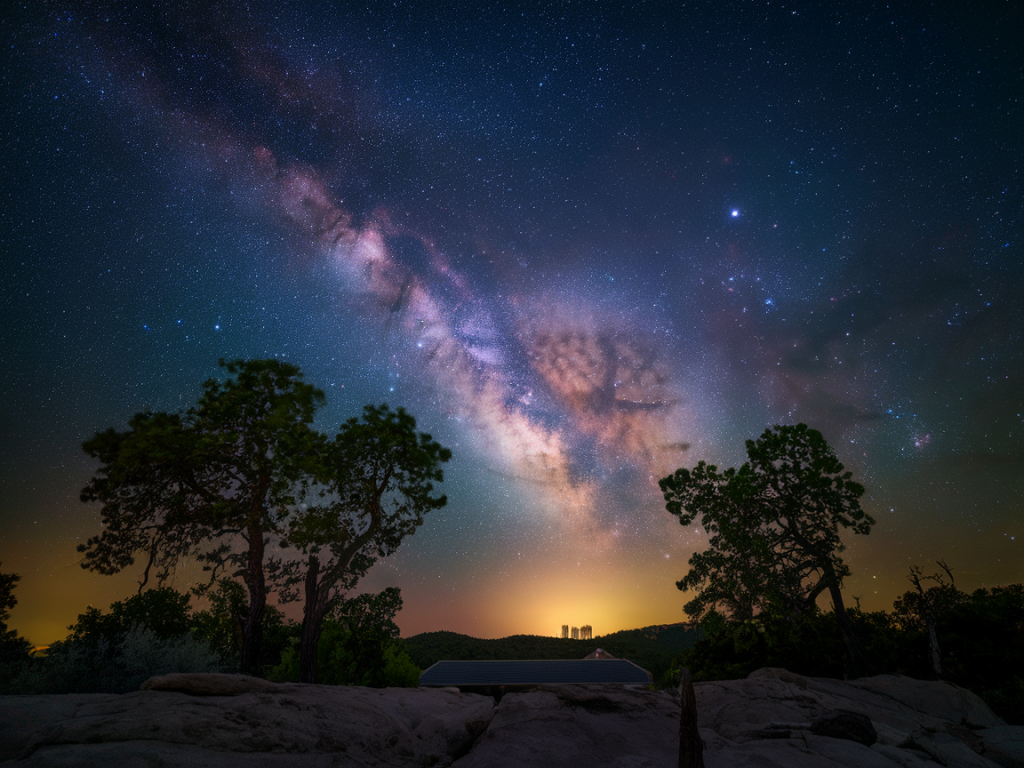
I’m going to show you how I get Pixel 8a–level night and astrophotography results from a budget Android phone by shooting RAW and manually stacking frames. I do this on phones that don’t have Google’s sophisticated multi-frame pipeline, and the trick is simple: capture many short RAW exposures, then align and stack them to dramatically reduce noise and extract faint stars and sky detail. The workflow is hands-on but repeatable, and it works whether you’re using a £150 phone or an older midrange device.
Why stacking RAW frames beats single long-exposure tricks
Modern flagship phones like the Pixel 8a do incredible things with multi-frame processing and machine learning. If your phone doesn’t have that software magic, you can mimic parts of it yourself. Shooting a single very long exposure on a cheap sensor produces lots of heat noise, hot pixels, and weird color casts. Stacking many shorter RAW frames accomplishes three useful things:
It averages out random noise (improving signal-to-noise ratio) without amplifying sensor heat artifacts.It preserves linear RAW data so you can perform careful exposure and white-balance adjustments post-capture.It allows you to reject frames with airplane trails or passing cars and to add dark-frame subtraction for sensor artifact reduction.What you’ll need (hardware and software)
Here’s what I use and recommend — you don’t need anything exotic.
A budget Android phone that can save RAW/DNG (many phones do; look for “RAW” or “DNG” in camera settings). If your stock app can’t, use Open Camera or Camera FV-5 or ProCam X which enable RAW capture and manual controls.A sturdy tripod and a phone clamp. No tripod = no astrophotography worth saving.An intervalometer app or built‑in interval shooting in your camera app (Open Camera has one). This automates grabbing dozens of frames.A cable or Wi‑Fi method to transfer DNG files to a computer (stacking on desktop will give the best results). I usually use USB + Android File Transfer or an SD card on other phones.Stacking software on your computer: I recommend Siril (free, cross-platform), Sequator (Windows, free), or DeepSkyStacker (free, Windows). These align and average frames and can handle dark frames. For Mac users, use Siril or AstroStakkert!, and StarStax for star trails.Optional: Lightroom/RawTherapee for per-frame adjustments and final editing.Capture settings — how I shoot
Everything starts at capture. The key is RAW, manual focus, and consistency between frames.
Mode: Manual/Pro mode or Open Camera set to RAW (DNG) output.Focus: Manual. Switch to infinity and then fine-tune by zooming on a bright star or distant light and using live view. If your app has focus peaking, use it.Shutter & ISO: Use several short exposures instead of one long one. My go-to approach: 20–60 frames at 6–12 seconds each, ISO 800–1600. The exact shutter speed depends on your lens/field-of-view and the “500 rule” for stars: max exposure ≈ 500 / (full-frame-equivalent focal length). On phones the focal length is tiny so you can often use 8–12s without trailing.White balance: Set it to a fixed Kelvin value (e.g., 3500–4000K) so all RAW frames are consistent — you’ll tweak white balance in post.RAW only: Turn off JPEG or at least make sure RAW is saved. JPEGs are already processed and limit stacking benefits.Dark frames: If you have time, capture a set of dark frames — same exposure settings but with lens cap on. Take 10–20 dark frames, which helps remove hot pixels and sensor pattern noise during stacking.Intervalometer: Program it to shoot back-to-back frames with minimal delay. For example, 40 frames x 8s = about 6 minutes capture time plus buffer between shots.Example session I run (practical)
When I head out, I do these things in order:
Mount phone on tripod and level; compose with a little foreground if I want context.Enable airplane mode to avoid interruptions and glowing notifications.Set camera to manual focus and lock it after checking a bright star at max zoom.Set RAW, manual shutter 8s, ISO 1000, WB 3700K, and start intervalometer for 40–60 frames.After the sequence, take 10 dark frames (same settings, lens cap on) and a few bias frames if your stacking app supports them (shortest possible exposure with cap on).Transfer and stacking — step-by-step on desktop
I normally transfer DNG files to my PC and use Siril. Sequator is slightly easier for Windows users so I’ll summarise both workflows.
Transfer: Copy the sequence folder (RAW DNGs) plus dark frames to your computer in one folder.Preprocess (optional): I sometimes open a handful of frames in RawTherapee or Lightroom to check exposure and white balance. Don’t apply heavy noise reduction — you want linear data for stacking.Siril workflow: Open Siril; convert DNGs to FITS (Siril has a converter). Register (align) the light frames — Siril identifies stars and aligns accurately even for wide-angle shots. Stack using median or average method; include dark frames for subtraction. Use normalization to keep levels consistent. Stretch the stacked image using Siril’s Histogram Transformation — this pulls up faint nebulosity and sky glow. Export to TIFF and finish adjustments in Photoshop or Lightroom (curves, color balance, selective noise reduction).Sequator (Windows, simpler): Open Sequator, load the lights (your DNGs) and darks. Choose “Star Stacking” or “Light Pollution Reduction” options if needed. Press Start — Sequator aligns and stacks automatically and produces a TIFF you can open in Lightroom for finishing.Post-processing tips to get that Pixel-like pop
Stacking gives you a low-noise master — the rest is tasteful editing.
White balance and tint: Tweak to a neutral or slightly cool tone for space images; many phones bias toward warm orange when shooting night scenes.Curves and contrast: Gentle S-curve increases contrast without crushing faint stars. Use local contrast or clarity sparingly — too much can make the sky grainy.Noise reduction: Apply global noise reduction on the sky, but mask out stars so they remain sharp. Use luminance denoise first then chroma denoise for color speckles.Sharpening: Light sharpening on small details; for stars, a very small radius and mask so only cores are sharpened.Remove residual hot pixels: Spot-heal any stubborn hot pixels you see.Common problems and how I fix them
Here are issues I run into and quick fixes.
Trailing stars: Shorten exposure or reduce focal-length equivalent by avoiding digital zoom. Increase frame count instead.Plane or satellite trails: Exclude those frames during stacking or use a median stack that removes outliers. Siril and Sequator can help reject bad frames.Bright foreground blown out: Use a separate exposure or a short-exposure bracketed foreground and blend in Photoshop (simple exposure mask).Color casts and weird gradients: Apply gradient removal tools in Siril or local gradient correction in Lightroom. Light pollution filters in Sequator can help.If you follow this recipe—steady tripod, RAW capture, 20–60 short frames, dark frames, and desktop stacking—you can reliably get night and astro images that put many single-exposure phone shots to shame. It’s not instantaneous like Pixel’s software, but the control and final image quality are often superior, especially when you target faint stars and low-contrast Milky Way detail.