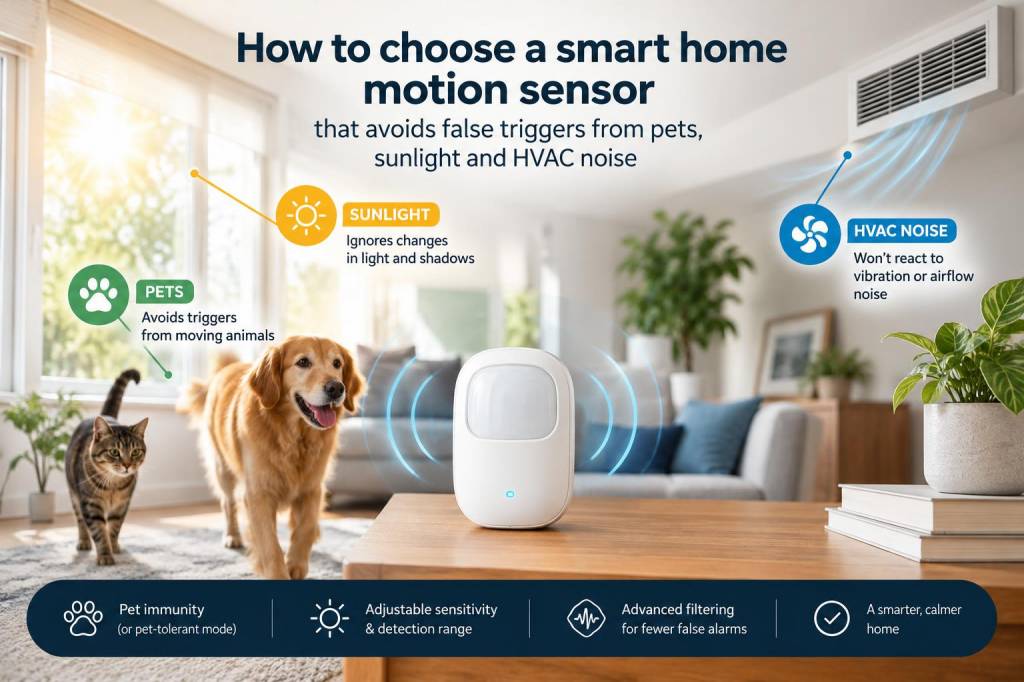
When I shop for a smart home motion sensor, I care less about raw detection range on a spec sheet and more about whether it stays quiet when life gets messy. A sensor that reacts to every passing pet, a bright patch of sunlight, or a heating vent blasting warm air is not just annoying; it can make an entire automation setup feel unreliable. I have tested enough smart home gear to know that false triggers are one of the fastest ways to lose trust in a device.
My starting point is simple: I want a sensor that notices human movement quickly, ignores everyday household noise, and works well with my actual room layout. That means I look past marketing claims and focus on the detection method, placement flexibility, app controls, and automation logic. A motion sensor can be excellent in one home and frustrating in another, so I always judge it against the space where it will live.
Start with the detection technology
Not every motion sensor works in the same way. Many budget models rely on passive infrared, often called PIR. These sensors detect changes in heat patterns across a room. In many cases, PIR works very well, but it can be fooled by warm air bursts, direct sun warming a surface, or a pet moving through a detection zone. If I know a room has a cat, a dog, or a heater that runs often, I pay close attention to how the sensor handles those conditions.
Some sensors use a dual-technology approach, combining PIR with another method such as microwave detection. That can reduce false alarms because both systems must agree before an event is reported. I like that idea for tricky spaces, especially hallways near windows or family rooms with lots of ambient movement. Still, dual-technology is not magic. Poorly tuned units can still misbehave, so I do not assume a more complex sensor is automatically better.
For rooms with frequent environmental changes, I also watch for sensors that use pet immunity settings or adjustable sensitivity. That feature can help, but it needs to be honest. A sensor that claims pet immunity and still reacts every time a small dog walks by is not doing its job. I prefer products that let me tune sensitivity in small steps rather than broad, vague levels.
Think about room shape before buying
Placement matters as much as sensor quality. I have learned that a motion sensor pointed toward a window can behave very differently from one mounted on an interior wall. Sunlight moving across a room can create heat shifts that a PIR sensor may interpret as activity. I avoid placing sensors where direct sun hits them during part of the day, and I especially avoid spots where sunlight sweeps across floors, furniture, or reflective surfaces.
HVAC noise is another issue, though it is not always sound itself that causes trouble. Air vents can send warm or cool air across a detection zone, and that temperature change can trigger a sensor that is sensitive to heat movement. When I test a device, I check where the vents are, where the air actually travels, and whether the sensor points into that airflow path. Sometimes a simple angle adjustment solves a problem that no app setting can fix.
If a room has a wide layout, I also think about the height of the mounting point. Too low, and pets may cause trouble. Too high, and the sensor may miss slow human movement. I usually want a position that gives a broad field of view without aiming directly at a door, vent, radiator, or sunlit wall. A little planning here saves a lot of frustration later.
Look for useful adjustment options
I am far more likely to trust a motion sensor if it gives me real control over sensitivity, retrigger delay, and active detection zones. Sensitivity adjustment helps me reduce unnecessary activations in a room with pets or bright natural light. Retrigger delay controls how quickly the sensor reports repeated motion, which matters if I want lights to stay on while someone is moving around naturally. Some sensors make these settings available only in vague presets, while others let me fine-tune behavior in a way that matches my home.
I also value sensors that work well with automation rules. A motion sensor on its own is only part of the experience. If my smart home platform lets me combine motion with time of day, ambient light, or presence detection, I can make automations smarter and less reactive. For example, I may choose to turn lights on only when motion is detected after sunset, or only when a room is dark enough to need lighting. That extra logic often cuts down on unwanted triggers more effectively than sensitivity changes alone.
When I test a sensor, I ask myself whether I can make it smarter through software. A good app can add useful delay controls, activity logs, and scene rules. A weak app leaves me guessing why a sensor fired. I prefer devices that show a clear event history so I can see whether triggers came from real movement, shifting heat, or just poor placement.
Pay attention to pets, sunlight, and airflow separately
Pets are not all equal from a motion sensor’s point of view. A large dog moving across a floor can look very different from a cat jumping onto furniture or a small pet darting under a table. I try to place sensors above the main path my pets use, while avoiding angles that point directly at beds, sofas, or favorite resting spots. If a sensor supports pet immunity, I still test it carefully before trusting it.
Sunlight can be harder to solve because it changes during the day. A room that is stable at noon may become problematic at late afternoon as light shifts across walls and floors. I like to observe the room for a full day before I settle on a final location. If a sensor only fails at a certain hour, I do not blame the device right away. I first check whether the issue is tied to a moving patch of sun, reflective glass, or a hot surface near a window.
HVAC behavior is similar. A vent may seem harmless during one season and become a problem during another when heating or cooling cycles are more aggressive. I keep an eye on temperature swings near the sensor, especially if the unit sits above a vent or close to a return grille. In some cases I move the sensor a few feet away and the false triggers disappear completely.
Compare features that matter in real homes
| Feature | Why I care | What helps reduce false triggers |
| PIR detection | Common, low power, widely supported | Works well when placement avoids heat changes and direct sun |
| Dual-technology sensing | Better filtering in difficult rooms | Requires more than one signal before reporting motion |
| Sensitivity control | Lets me tune response for room activity | Lower settings can reduce pet and airflow triggers |
| Pet immunity | Useful in homes with animals | Helps ignore low-level movement near the floor |
| Activity logs | Useful for troubleshooting | Shows when and how often triggers happen |
| Smart automation support | Improves real-world behavior | Combines motion with light level, time, or presence |
Choose a sensor with a strong ecosystem
I care about ecosystem support because a sensor with great hardware but weak integration can still be a poor purchase. If I use Apple Home, Google Home, Amazon Alexa, Home Assistant, or a brand-specific hub, I want a sensor that behaves predictably inside that environment. Some platforms offer more powerful rules, while others keep things simple. I choose based on how much control I need.
For homes with more advanced automation, I like sensors that play nicely with hubs and local processing. Local processing can reduce delay and help the system stay reliable even if cloud services have issues. That can matter a lot if I want lights to react instantly when I walk into a dark hallway. I also appreciate devices that support firmware updates, because motion detection quality can improve over time if a company keeps refining its software.
Battery life matters too, but I never treat long battery life as proof of quality. A sensor that sleeps too aggressively may miss activity or respond slowly. I prefer a balanced device that is efficient without becoming sluggish. In my experience, a slightly more active sensor that behaves correctly is much better than one that lasts forever but misses obvious motion.
Test before trusting
Whenever I install a motion sensor, I spend a few days watching its behavior in normal use. I walk through the room at different times, open curtains, run heating or cooling, and let pets do what they usually do. I want to see whether the device remains calm under realistic conditions. A sensor that performs well during a quick setup demo may still struggle once the room returns to everyday life.
I also change one variable at a time. If I move the sensor, I retest. If I change the sensitivity, I retest again. If I adjust automations, I watch the results for another day. That method helps me identify what actually fixed the problem instead of guessing. It also keeps me from blaming a good sensor for a bad mount position.
My own rule is straightforward: I trust a motion sensor only after it has survived pets, sun, and airflow without constant correction. Once a sensor passes that test, it becomes invisible in the best possible way. It turns lights on when I need them, stays quiet when nothing important is happening, and fits into the rhythm of the home instead of fighting it.
When I am comparing models, I focus on the combination of sensing technology, placement flexibility, adjustment options, and automation support. That combination matters much more than any single spec. A well-chosen motion sensor should feel boring in daily life, because boring usually means reliable. In smart home hardware, that is exactly what I want.