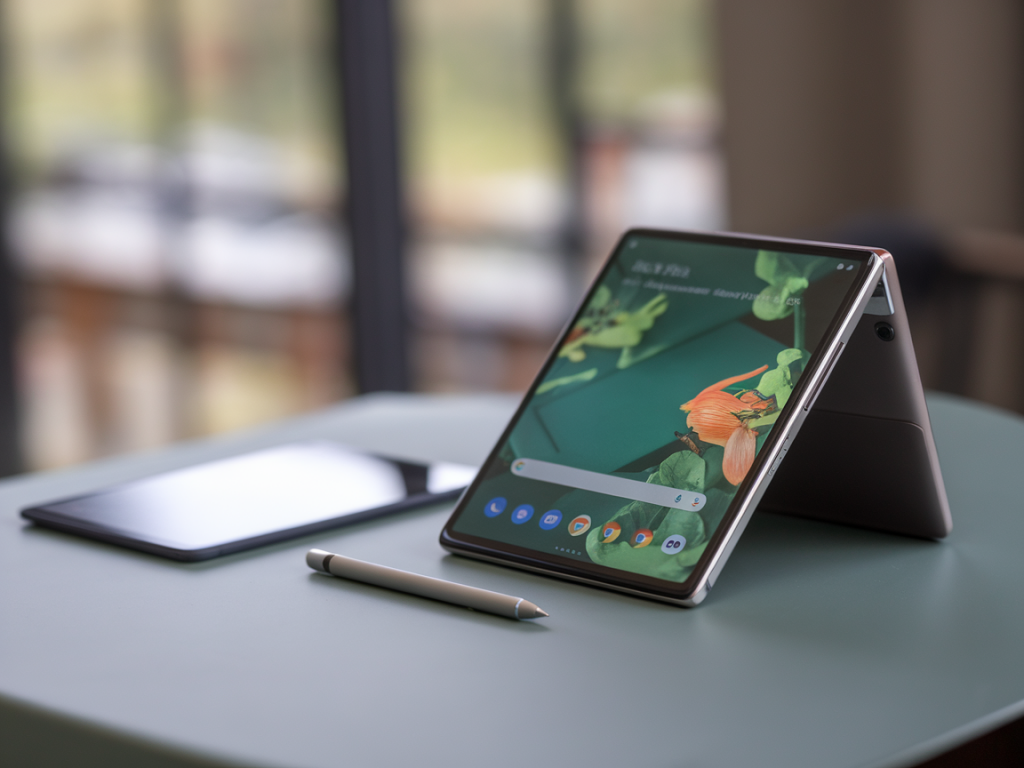
I carried a Pixel Fold in my backpack for a week and, as someone who lives for the moment a gadget becomes genuinely useful rather than just clever, I put it through my usual field tests: meeting notes, sketching quick diagrams, and editing a handful of photos taken on the go. The question I set out to answer for myself — and that I hear all the time from readers — was simple: can the Pixel Fold replace a compact tablet for note-taking and photo editing on the go? Spoiler: it depends on what you value most, but the Fold is closer than you might expect.
How I tested it
I used the Fold as my primary device for seven days while travelling light. My routine included:
I compared the experience to a compact tablet I often carry: an iPad mini (for reference only). I also tested a USI stylus I had on hand — the Fold doesn’t ship with a bundled pen — and a couple of Android apps: Google Keep, Squid/Noteshelf-style note apps, Adobe Lightroom Mobile and Snapseed.
Note-taking: surprisingly capable, with caveats
When folded, the Pixel Fold acts like a fairly large phone — fine for quick text notes, voice memos, and one-handed email triage. But the real test for note-taking is the unfolded inner display.
On the inner screen, the Fold provides a usable canvas for handwriting and sketching. The display is responsive and the palm rejection is solid enough for most handwriting styles. For me, the tactile feel of the stylus on glass was familiar — not paper-like as you get with some paper-feel screen protectors on tablets, but accurate enough for fast notes and diagrams.
Where it excels:
Where it falls short compared to a compact tablet:
Photo editing: mobile power, with some trade-offs
Photography is where the Fold showcases one of its unique strengths: it is, first and foremost, a phone with phone-grade cameras. That means excellent raw files, superb computational processing, and a workflow that’s literally designed for mobile editing.
Practical strengths I noticed:
Limitations compared to a compact tablet or lightweight laptop:
Practical differences: workflow and apps
One big thing I appreciated: the Fold doesn’t force you into a single ecosystem. Lightroom Mobile, Snapseed, Photoshop Express, Affinity Photo (Android), and other apps all run well. But some pro-level tablet apps and integrations — for example, Photoshop on iPad with its special UI for Apple Pencil — remain unique to tablets and give a usability edge.
That said, for 80–90% of casual to serious mobile edits and everyday note-taking, the Android app ecosystem plus the Fold’s hardware gets you there. If you use cloud storage (Google Photos, Dropbox, OneDrive), the Fold plugs into your existing workflow without the need to carry extra devices.
Battery, weight and everyday usability
Carrying a single device instead of phone + tablet is the Fold’s strongest argument. Battery life depends on how aggressively you use the outer screen vs. inner display and whether you’re editing RAW files for long periods. In mixed use, I got through a day with moderate editing and note-taking; if I were editing a lot of RAW files, I’d want a portable charger handy.
Weight and pocketability are a trade-off. The Fold is heavier than a phone, lighter than a full tablet+phone combo, and fits in a jacket or larger bag comfortably. If you’re someone who travels very light — a pocket and minimal kit — the Fold might push the limit for comfort compared to a thin phone. But compared to carrying both a phone and a compact tablet, it’s a clear win.
Quick comparison table
| Category | Pixel Fold | Compact tablet (e.g. iPad mini) |
| Primary strength | All-in-one portability; phone-grade camera + foldable canvas | Dedicated larger canvas; stylus ecosystem with tighter hardware integration |
| Stylus | Supports active USI styluses (no bundled pen) | Often ships with dedicated stylus support (e.g., Apple Pencil) |
| Editing workflow | Excellent single-device pipeline for mobile edits | Better for detailed, color-critical work and more complex app UIs |
| Note-taking | Very capable for quick notes and diagrams; smaller canvas | More comfortable for long, detailed handwritten sessions |
When the Pixel Fold is a good replacement
The Fold makes the most sense if you value consolidation and mobility. If you’re a journalist, field researcher, or a creative who needs to shoot, jot and edit while moving through the day, the Fold’s single-device workflow can dramatically simplify your kit. It’s also a great fit if you prefer Android and the freedom to pick your stylus and apps.
When a compact tablet still wins
If you do long sessions of pixel-level photo retouching, need the most color-accurate displays for client work, or you rely on tablet-specific app ecosystems and accessories (keyboard folios, pencil with instant pairing and magnetic charging), a compact tablet still has the edge. For heavy handwritten note-takers who prize the feel and instant pickup of an integrated stylus, tablets are still a better analog to paper.
Ultimately, for many people the Fold won’t be a full replacement — but it will be a near-complete one. In my week of using it as my primary device, I found myself reaching for the Fold in more situations than I expected. It didn’t quite match the iPad mini for long-form scribbling or color-critical edits, but the convenience of a single device that shoots, stores, edits and captures notes without context switching was liberating. If your workflow favors mobility and streamlined processing over maximum canvas size and absolute color precision, the Pixel Fold is a compelling alternative to a compact tablet.