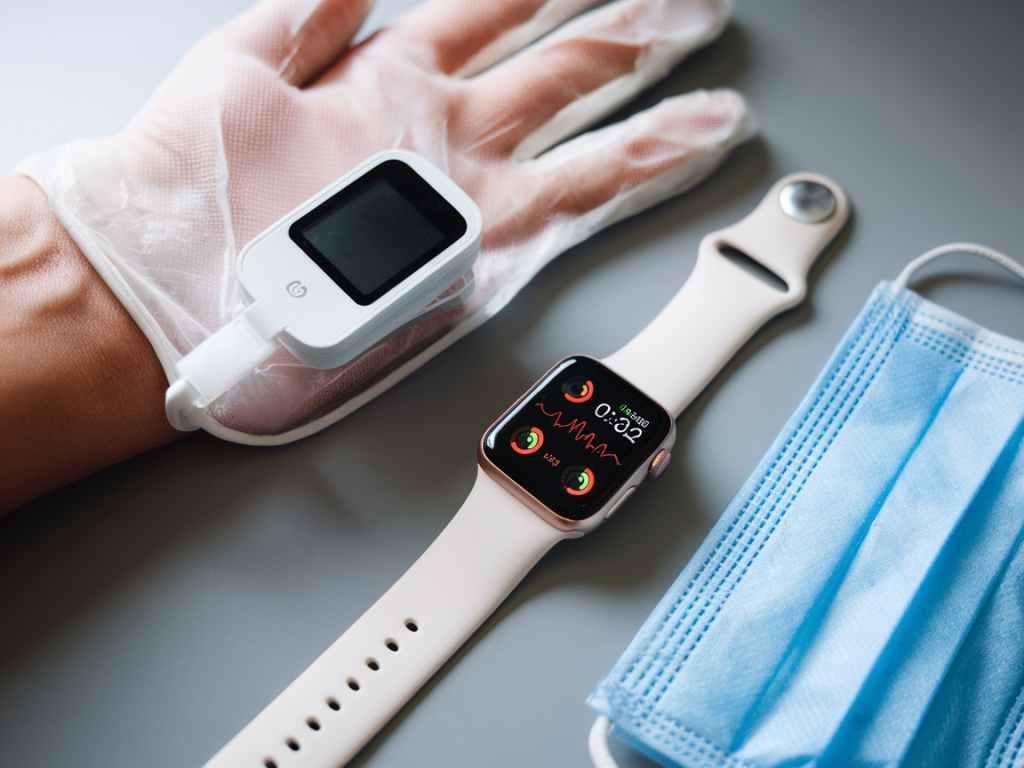
I often get asked whether it's realistic to build a home monitoring setup that gives clinically useful SpO2 and respiratory metrics without spending a lot of money. The short answer I give people is: yes — but with important caveats. In this article I’ll walk you through what “clinically useful” means in a consumer context, the limits of budget hardware, and practical combos of a pulse oximeter + smartwatch that balance cost and usable data. I’ll also share hands-on testing tips so you can trust the numbers you see at home.
What I mean by “clinically useful”
When clinicians talk about pulse oximetry they mean reliable identification of hypoxaemia and trends over time. For a home setup to be clinically useful, it should:
If you need diagnostic-grade monitoring — for COPD management, post-op care, or serious cardiopulmonary disease — you should use medically certified devices and follow professional guidance. Consumer devices are best for screening, trend detection, and prompting follow-up.
How pulse oximeters and smartwatches produce SpO2 and respiratory metrics
Finger pulse oximeters use red and infrared LEDs to measure oxygen saturation in arterial blood; they provide a direct photoplethysmography (PPG)-based SpO2 and often a pleth waveform and perfusion index. Wrist-worn devices use reflectance PPG through the skin to estimate SpO2 and can derive respiratory rate from subtle variations in the PPG signal and accelerometer data.
That difference matters: a fingertip reading is physically closer to arterial blood flow and usually more stable for SpO2; wrist sensors are more convenient and better for continuous overnight tracking, but they’re more susceptible to motion and poor perfusion.
Key accuracy and usability factors to check
Budget pulse oximeter choices I test and why they work
For spot checks and occasional overnight use, these are good, inexpensive finger oximeters I’ve personally used and found reliable for home trend monitoring:
All of these give the best SpO2 data when your hands are warm and still. Finger devices will generally outperform wrist sensors for raw SpO2 accuracy.
Budget smartwatches that add continuous SpO2 and respiratory tracking
Several affordable wearables now include SpO2 and respiratory rate estimates. They won’t replace medical equipment, but they’re useful for overnight trends and combining movement/sleep staging:
These watches are best for continuous trend detection (overnight desaturation events, increased respiratory rate) rather than single-measure accuracy.
Recommended combos for different budgets and use cases
| Use Case | Pulse oximeter | Smartwatch |
| Lowest-cost spot checks & sleep trends | Zacurate Pro 500DL | Amazfit Bip U |
| Comfort-focused overnight logging | Wellue O2Ring | Xiaomi Mi Band 6/7 |
| Best app/analytics for trends | Contec CMS50D + exportable data | Fitbit Versa/Inspire |
How I test accuracy at home (practical protocol)
When I evaluate SpO2/respiratory combos I use a reproducible approach so readers can compare results:
Interpreting the numbers and what to watch for
Small differences (1–3%) between devices are normal. What matters more is change over time and symptom correlation. Red flags that should prompt clinical contact include:
Use the data to support conversations with clinicians, not to self-diagnose. If an app flags severe events, verify with a reliable finger oximeter and seek professional advice.
Data access, privacy and integration
One of the biggest differences between budget and midrange devices is data access. Cheap gadgets may show numbers on-device but lock longer histories in a walled app. For clinical usefulness, prefer devices that export CSV or sync to Apple Health/Google Fit, or that allow third-party tools to read the data. I often use exportable data to create simple trend charts that are far more meaningful than single numbers.
Final practical tips
If you want, I can run a direct comparison of two specific models (e.g., Zacurate + Amazfit Bip U vs Wellue O2Ring + Xiaomi Mi Band) using my lab-style protocol and publish the raw CSVs so you can see how they behave night-to-night. Just tell me which models you’re considering and I’ll set up the test.