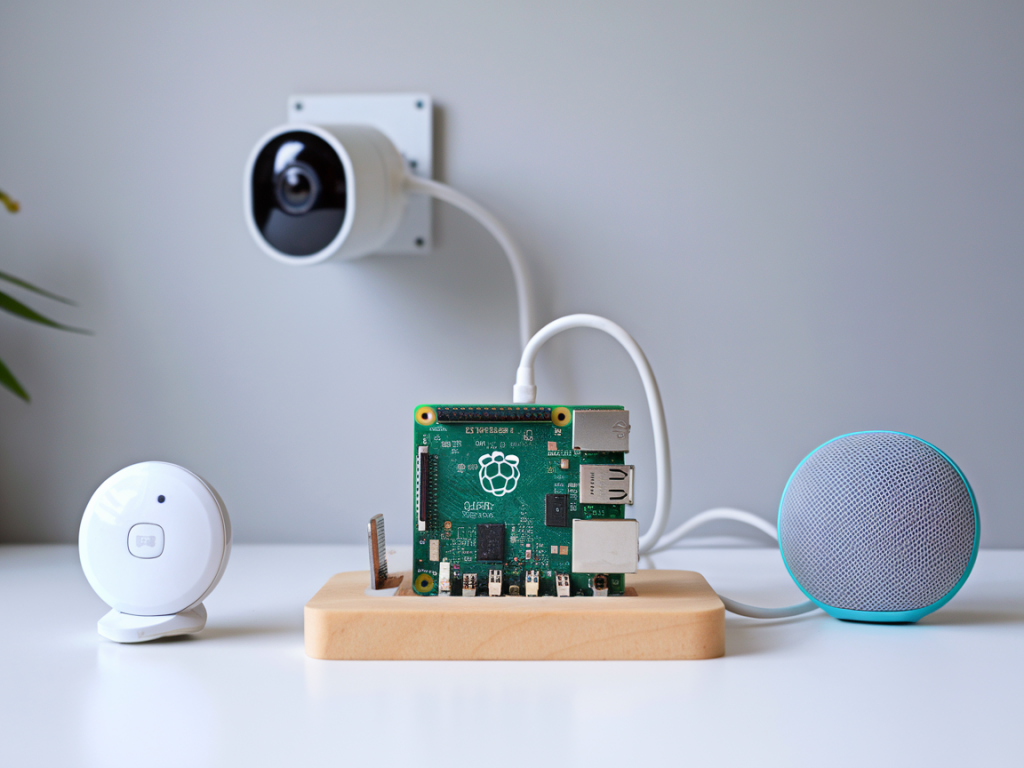
I’ve been building and testing smart home setups for years, and one thing keeps coming up: you can have a convenient, voice-controlled home without handing every event, camera feed, or sensor ping to Big Tech. In this guide I’ll walk you through how I build a privacy-first smart home hub that runs local voice control and keeps cameras and sensors offline from the cloud. I’ll share the hardware I use, the software stack I prefer, network and security practices, and some practical trade-offs so you can reproduce a similar setup yourself.
Why local-first matters (and what you gain)
When devices rely on cloud services they expose metadata, video, and voice to external servers — often across borders and under terms you don’t control. Going local reduces surface area for data leaks, avoids subscription lock-in, improves latency, and gives you reliability when your internet flutters. The trade-off is more initial setup and maintenance, but I find the control and privacy benefits worth it.
Core principles I follow
- Keep voice processing on-device (no cloud wake words or transcription).
- Run device control and automations locally (no central cloud broker).
- Keep cameras and sensors on an isolated network and store footage locally.
- Use open-source or auditable components where possible.
- Make secure backups that you control (encrypted, local or your own cloud).
Recommended hardware
Here’s the minimal kit I use. You don’t need all of these for a basic build, but they make the system robust.
| Component | Example | Purpose |
| Hub computer | Intel NUC / Raspberry Pi 4 (4–8GB) | Runs Home Assistant, Node-RED, Docker containers |
| Network | Managed router + VLAN-capable switch | Segment traffic and isolate cameras |
| Microphone array | ReSpeaker / USB mic | Local wake word and STT |
| USB accelerator (optional) | Google Coral USB | Local ML inference for speech and camera |
| Camera NVR | Frigate on Docker + ample storage | Local camera recording and object detection |
| Zigbee/Z-Wave stick | Sonoff Zigbee 3.0 / Aeotec Z-Stick | Local device radio bridge |
| Smart speakers (local voice) | Raspberry Pi with HiFiBerry or small Intel PC | Act as local voice endpoints |
Software stack I use
I build everything on open-source foundations so I can inspect traffic and behavior. My primary pieces are:
- Home Assistant as the central controller — fast, extensible, and runs entirely locally if you don’t enable cloud integrations.
- Zigbee2MQTT or ZHA for local Zigbee device control. For Z-Wave, I use Z-Wave JS.
- MQTT as the lightweight local messaging bus (Mosquitto broker inside Docker).
- Frigate for local camera NVR and person/object detection (runs with Docker and can use a Coral accelerator).
- Rhasspy or Mycroft for offline voice recognition and intent parsing; Rhasspy integrates well with Home Assistant and MQTT.
- Node-RED for visual automations if you prefer flow-based logic.
- Pi-hole or AdGuard Home as a local DNS blocklist to stop suspicious outbound traffic.
Network architecture I deploy
I always separate networks to limit blast radius. A layout I recommend:
- Main LAN: Your trusted devices (laptops, phones, hub).
- IoT VLAN: All smart plugs, bulbs, and assistants (can be restricted).
- Cameras VLAN: Cameras + NVR only, no internet access except to a local hub.
- Guest Wi‑Fi: Internet-only access for visitors.
Use a managed switch and firewall rules to restrict inter-VLAN traffic. For example, only allow the Hub IP to talk to the Cameras VLAN and allow the Hub to access the MQTT broker. Block everything else by default.
Setting up local voice control
Local voice is the trickiest piece but critical for privacy. My working setup:
- Deploy Rhasspy in Docker on the hub (or on a small Raspberry Pi). Rhasspy handles wake words, speech-to-text (STT), intent parsing, and can talk to Home Assistant via MQTT.
- For robust, privacy-respecting STT, I use VOSK or on-device models. If you need higher accuracy, use a USB Coral for acceleration and a quantized model.
- Use an always-listening wake word engine that runs entirely on-device — Rhasspy supports porcupine or Snowboy-like alternatives. Configure the microphone to only stream audio within your local network; never enable cloud STT.
- Configure intent to MQTT mappings so voice commands translate to Home Assistant intents. For example: “turn on kitchen lights” triggers an MQTT intent which Home Assistant consumes to toggle the Zigbee-controlled light.
- For voice feedback, you can use local TTS (e.g., eSpeak, Pico TTS) that runs on the hub or on endpoint devices.
Keeping cameras and sensors offline
I never put cameras on vendor cloud accounts. Instead:
- Use ONVIF or RTSP-capable cameras configured to connect only to the local NVR (Frigate). Disable any “cloud” features in the camera admin interface and change default passwords immediately.
- Place cameras on the Cameras VLAN and firewall them so they cannot reach the internet. Allow only the NVR/hub to access them.
- Store recordings locally on a RAID or NAS; use a retention policy that balances privacy and storage costs. I encrypt backups at rest and when transferring off-site.
- For sensors (door/window, motion), prefer Zigbee or Z-Wave devices that can be paired locally to your ZHA or Z-Wave JS controller. Avoid vendor hubs that force cloud reliance.
Security and maintenance practices I follow
- Keep the hub OS and all Docker containers updated on a regular schedule and test updates in a non-critical environment when possible.
- Use strong unique passwords and store credentials in Home Assistant’s secrets.yaml or a password manager; enable two-factor auth on any remote user accounts that need it.
- Control remote access with a VPN (I use WireGuard) or a secure reverse-proxy with single-sign-on; avoid exposing Home Assistant or camera feeds directly to the internet.
- Monitor logs for unusual behavior and configure alerts in Home Assistant or an external monitoring tool.
- Document your automations and export configuration backups. Keep an encrypted off-site copy in case of local failure.
Common trade-offs and gotchas
There are a few realities to accept:
- Local STT won’t match cloud vendors’ accuracy for every accent or noisy environment. Better microphones and local ML accelerators help a lot.
- Some devices simply refuse local operation — you’ll either avoid those or accept a vendor hub. I typically favor devices with good open-source integrations (IKEA Tradfri, Sonoff with Tasmota, Aqara Zigbee devices).
- Maintenance is your responsibility. If you enjoy tinkering it’s rewarding; if not, expect a steeper learning curve than plug-and-play cloud systems.
How I start building this, step-by-step
- Pick a hub machine (Raspberry Pi 4 for experimentation; NUC for production).
- Install Home Assistant OS or Home Assistant Core in Docker.
- Attach Zigbee/Z-Wave sticks and install Zigbee2MQTT / Z-Wave JS.
- Deploy Mosquitto, Rhasspy, Frigate, and Node-RED as needed in Docker.
- Move cameras to VLAN, point Frigate at RTSP streams, enable local object detection.
- Train simple Rhasspy intents and map them to Home Assistant automations via MQTT.
- Lock down the network (VLANs, firewall rules), add Pi-hole, and create backups.
If you want, I can produce a deployment script or a Docker Compose file tuned to the hardware you have, or walk you through setting up Rhasspy intents step-by-step. Building a privacy-first hub is a bit of work, but once it’s in place it’s fast, private, and reliably yours.