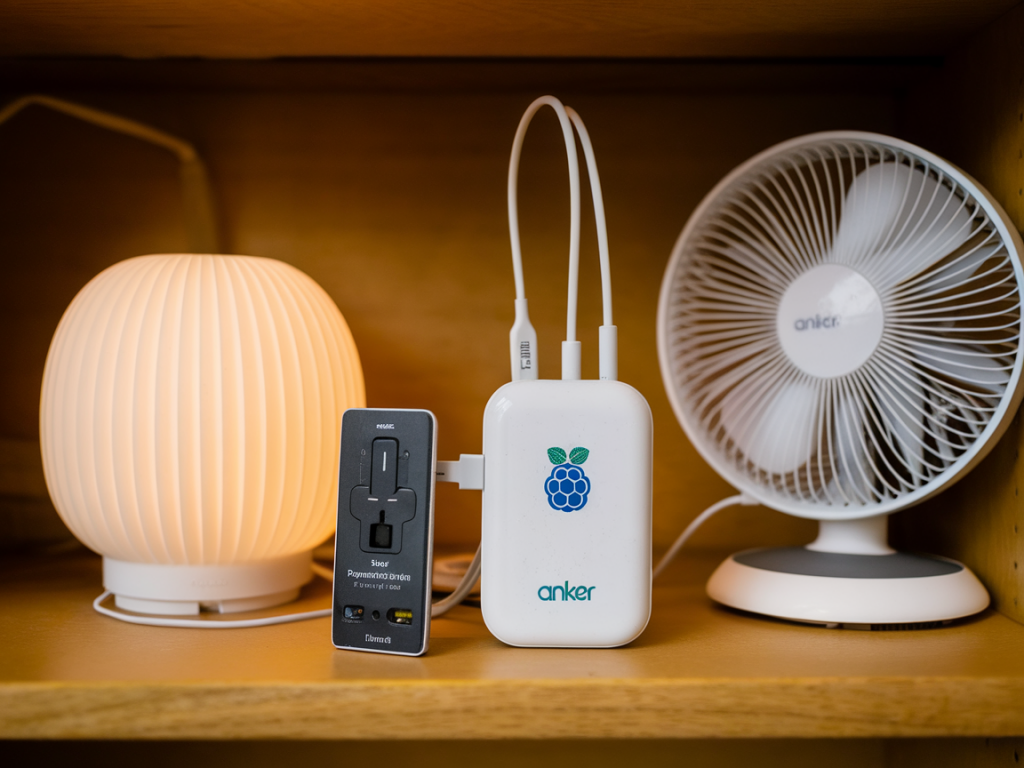
I run my home automation from a Raspberry Pi that acts as my smart home hub (Home Assistant). One of the most annoying problems I’ve solved by now is keeping that hub and my Wi‑Fi router running during brief power outages so automations keep working and I can still access the house remotely. The easiest, most portable way I’ve found is to use an Anker PowerStation (or a high‑capacity Anker PowerCore with USB‑C Power Delivery) as an emergency UPS. Below I’ll walk through how I set this up, how to size the battery, wiring and cable tips, safe shutdown options, and how I tested the whole thing so I trust it during an outage.
Why use an Anker PowerStation for a Raspberry Pi smart hub?
Anker PowerStations are essentially large, well‑built battery packs with USB‑C Power Delivery (PD) and/or AC outlets. They have a few advantages for a Pi + router setup:
- Instant switch-over: Most power banks provide seamless power when mains drops — there’s no noticeable reboot or brown‑out for the Pi if the bank is powering the device directly.
- USB‑C PD for Pi: Raspberry Pi 4 and newer accept USB‑C PD input, so you can power the Pi directly from the PD port at the correct voltage and current.
- Multiple outputs: Many PowerStations include AC outlets (handy for routers that need AC), USB‑A and USB‑C ports so you can power both the Pi and router from one unit.
- Portable and safe: No DIY battery packs or exposed wiring — Anker’s units are consumer safe and compact.
What you need
- An Anker PowerStation or high‑capacity PowerCore with USB‑C PD (I’ve used the Anker PowerHouse 533 and the PowerCore 26800mAh PD models).
- Raspberry Pi 4 (or newer) with USB‑C PD power cable (preferably the official USB‑C cable rated for 3A+).
- The home router or Wi‑Fi access point you want to keep alive. Check how it’s powered (USB 5V, 9V/12V DC barrel, or AC).
- Appropriate cable or adapter to power the router from the PowerStation (USB‑A/USB‑C to router USB input, or AC outlet on the PowerStation for AC‑powered routers).
- Optional: small UPS HAT for the Pi (PiJuice, UPS HATs) if you want battery monitoring and controlled shutdown.
Sizing the battery — how much capacity do you need?
Do a quick power budget. Measure or estimate the power draw of your devices:
- Raspberry Pi 4 idle: ~3–5W. Under load (addons, Zigbee USB sticks, cameras): ~6–10W.
- Typical home router: 5–12W (some AC routers are 10–20W).
Use this formula: runtime (hours) = battery Wh / load W. To get Wh, multiply the battery’s mAh by nominal voltage (typically 3.7V) and divide by 1000, or use the manufacturer Wh rating if provided.
| Example PowerStation | Approx Wh | Combined load (Pi + router) | Estimated runtime |
| Anker PowerCore 26800 PD | ~99 Wh | 10 W | ~9–10 hours |
| Anker PowerHouse 533 | ~256 Wh | 15 W | ~16 hours |
| Small 20,000 mAh Power Bank (~74 Wh) | ~74 Wh | 12 W | ~6 hours |
Wiring and power delivery tips
How you power the router matters. If the router accepts USB input, powering it directly from a USB port on the PowerStation is clean and efficient. If it needs AC or a barrel jack, use the PowerStation’s AC outlet or a DC‑to‑barrel cable if available.
- Use a USB‑C PD port to feed the Raspberry Pi — that gives stable voltage and the Pi will draw what it needs (use a PD cable rated for at least 3A).
- Use the PowerStation’s AC outlet for routers that don’t accept USB input. Keep the router’s power brick plugged into the AC outlet — the PowerStation will handle the conversion.
- Keep the Pi and router on separate outputs if available so that a single port failure is less likely to kill both devices.
- Label cables and ideally mount the PowerStation near your networking gear for tidy wiring and shorter cables.
Safe shutdown and battery monitoring
The one weak point with most consumer power banks is they don’t present a UPS API to the Pi. That means the Pi won’t know the battery level and could run until the PowerStation forcibly cuts output. I use one of two approaches depending on how critical things are:
- For simple reliability: Choose a PowerStation with enough capacity that running until auto‑cutoff isn’t a problem (i.e., you’ve sized for several hours). Test to find the actual cutoff behavior.
- For controlled shutdown: Add a Pi UPS HAT (like PiJuice or similar) that provides a battery status over I2C/USB so the Pi can gracefully shut down when reserve is low. This is especially useful for long outages or if the hub runs critical automation.
- Network‑triggered shutdown: Another practical approach is to run a small script that detects when mains is down (if you have a smart meter or a UPS that reports) or when you reach a predefined battery runtime threshold, then initiate a clean shutdown. Example systemd service logic: monitor connectivity and battery flag, then run "sudo shutdown -h now" after X minutes on battery.
Testing — don’t guess, verify
I always simulate outages before trusting the setup. Here’s the test sequence I run:
- Fully charge the PowerStation and plug Pi + router into their respective outputs.
- Record baseline current draw with a USB power meter (Pi idle and router idle).
- Cut mains power and observe: do devices remain powered? Does the router lose any config when power changes? Any IP changes?
- Time how long it takes to reach critical levels and when the PowerStation cuts output. Repeat with loads (camera streams, heavy CPU tasks) to ensure worst‑case is covered.
- If you have a UPS HAT, test the graceful shutdown sequence by forcing low battery conditions and verifying the Pi shuts down cleanly and restarts when power returns.
Practical tips and gotchas I learned
- Not all power banks allow simultaneous charging and discharging (pass‑through). If you need the PowerStation to charge from mains while also powering devices, verify that feature first.
- Some routers reset when switching power sources even if the switch is instant. Check your router’s behavior — some consumer gear comes back with a different IP or takes a long time to reconnect.
- Keep the PowerStation firmware and your Pi OS updated. I’ve seen weird PD negotiation issues fixed by firmware updates on both ends.
- Label everything and add a small checklist near the kit: “Charge before storm, test monthly, firmware check.” It sounds trivial but saves panic during real outages.
Setting an Anker PowerStation up as a UPS for a Raspberry Pi smart hub and Wi‑Fi router is straightforward and cost‑effective. With the right sizing, a little monitoring, and a tested shutdown strategy, you can keep your automations, remote access, and devices running through most outages without resorting to a permanent UPS with batteries in the loft.