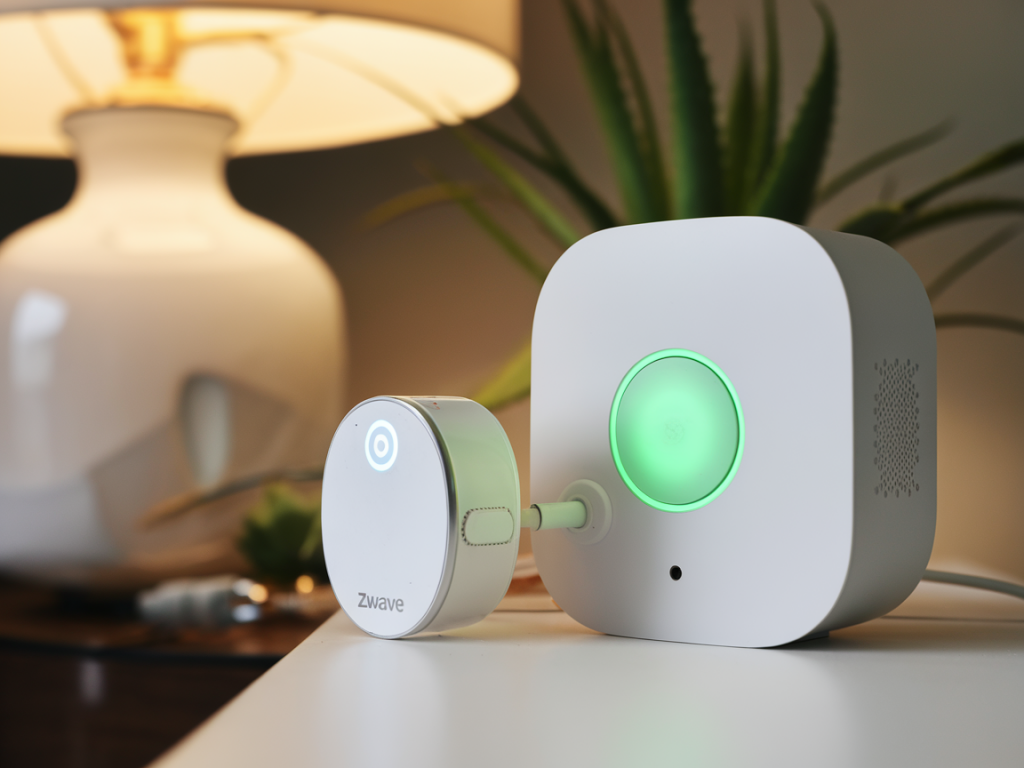
I’ve been building privacy-first smart home setups for years, and one pattern keeps coming back: you can have tightly integrated Zigbee and Z-Wave devices without handing control or metadata to a cloud service — including voice control. In this guide I’ll walk you through how I build a home assistant hub that keeps Zigbee and Z-Wave radios offline (no cloud pairing, no vendor servers) and still gives you reliable, local voice automation that never leaves your LAN.
Why keep radios offline, and what I mean by “voice automation”
When I say “keep radios offline” I mean the Zigbee and Z-Wave controllers themselves have no route to the internet. They talk only to your local home automation instance. The reasons are practical and privacy-minded:
Device privacy: Many bulbs, locks and sensors leak metadata or require cloud APIs.Resilience: Local automation keeps working if a vendor cloud goes down or if your internet connection fails.Security: Limiting outbound connections reduces attack surface.By “voice automation” I mean local voice control: microphone capture at the edge, local speech-to-text, intent processing, and local TTS (text-to-speech) for responses and announcements. No audio is uploaded unless you explicitly allow it.
Overview of the architecture I use
At a high level, my setup looks like this:
A dedicated host running Home Assistant Core (or Home Assistant Supervised on a controlled VM) or an alternative like Home Assistant OS on a local machine.Local Zigbee and Z-Wave radios attached to that host (USB sticks or dedicated hubs) but isolated from the internet by firewall/VLAN rules.Local MQTT broker (e.g., Mosquitto) for device messaging and integrations like Zigbee2MQTT.Voice stack running locally: wake word engine + STT + intent processing (Rhasspy or Mycroft/Rasa combos). Audio input devices (Raspberry Pi + USB mic array or ReSpeaker) captured locally.Automation engine: Home Assistant automations or Node-RED for flows triggered by detected intents.Hardware and software I recommend
Here are the parts I choose depending on the scale of the house and my need for headroom:
- Host: Raspberry Pi 4 (4–8GB) for small installs; Intel NUC or small fanless PC for larger setups or running models locally.
- Zigbee radio: ConBee II or a Sonoff Zigbee 3.0 USB dongle. Use Zigbee2MQTT or ZHA locally.
- Z-Wave radio: Aeotec Z-Stick Gen5+ or Zooz S2 stick. Use OpenZWave or Z-Wave JS locally.
- Mic/voice device: ReSpeaker Mic Array, USB microphone, or a small Raspberry Pi-based voice nodes with a hotword device like Snowboy replacement (Porcupine).
- Local STT/TTS: VOSK for STT, Picovoice or Porcupine for wake word, and Coqui TTS or eSpeak NG/OpenTTS for offline voice responses.
- Optional: NTP server, UPS for reliability.
Step-by-step: setting up the local hub
This is the workflow I follow; I include configuration choices that enforce offline-only behavior.
Install Home Assistant Core on a host: I prefer a VM or Docker install on an NUC for performance. Home Assistant OS is fine, but make sure you can manage network routing for attached USB devices and firewall rules. If you want a minimal footprint, Home Assistant Core in Docker gives more control.Plug in Zigbee/Z-Wave radios locally: Attach USB radios directly to the host. For placement, I sometimes put the radio on a short USB extension cable to avoid interference and get better coverage.Run a local MQTT broker: I install Mosquitto in Docker and configure it with passwords and TLS for local use. Zigbee2MQTT talks to Mosquitto, and Home Assistant subscribes to device topics for state and commands.Run Zigbee2MQTT or Z-Wave JS locally: Configure these integrations to use the local MQTT broker (for Zigbee2MQTT) or the serial stick for Z-Wave JS. Important: disable any cloud integrations and remove any cloud account keys from these services.Network isolation: This is crucial. I create a VLAN or use a firewall to block outbound internet access for the host’s Zigbee/Z-Wave USB devices. Concretely, that means firewall rules that prevent the host from making outbound TCP/UDP connections except to local IPs and essential update servers if you choose. Better: firewall rules can block traffic from the Docker container or VM that runs Zigbee2MQTT/Z-Wave JS to the internet.Local voice stack: I deploy Rhasspy (open-source voice assistant) connected to Home Assistant via MQTT, running on the same host or a dedicated Raspberry Pi. Rhasspy handles wake word, STT (I use VOSK models), intent recognition and TTS. All models are stored locally.Automations: Home Assistant listens to intent MQTT topics from Rhasspy and triggers scripts or Node-RED flows. Because everything is local, voice commands trigger instant device actions without cloud latency.Block cloud fallbacks: Some voice stacks try cloud fallback. Make sure you disable them in configuration and close their outbound ports at the firewall level. Test with outbound blocked to ensure nothing leaks.Optional ML locally: If you want higher STT accuracy you can run a local Whisper model on an x86 NUC with a GPU, but that’s heavier. VOSK strikes a good balance for many setups.Sample local configuration details I use
My minimal Rhasspy-to-Home Assistant flow:
Rhasspy (MQTT) -> intents/ -> Home Assistant automation listens on MQTT topic -> Home Assistant calls service to switch, speak, or run scene.For TTS I use OpenTTS with Coqui models; Home Assistant calls the TTS service to play responses on local media players (e.g., a Raspberry Pi running Mopidy or Snapcast client).
Security and privacy hardening
These are rules I apply every time:
- Least privilege: Give each service only the network access it needs. Keep radios only talking to local services.
- Firewall/VLAN: Put the hub (or the containers) in a VLAN with a rule that denies outbound internet by default.
- Disable cloud integrations: Don’t install vendor cloud add-ons. If you need device updates, do them manually in a controlled way.
- Encrypted backups: Home Assistant backups saved to an encrypted external disk or to an encrypted cloud account if you accept that trade-off.
- Monitoring: Use a simple IDS (like Pi-hole + logging or Home Assistant’s built-in logs) to detect unexpected outbound connections.
Trade-offs and practical considerations
Keeping everything local has trade-offs — I make them consciously:
Convenience vs. privacy: You give up some convenience (e.g., vendor mobile app cloud voice features, remote access without secure VPN) but gain privacy and reliability.Updates: Local stacks need manual attention. I schedule monthly maintenance windows for updates and model retraining if needed.Accuracy: Local STT can be slightly less accurate than cloud ASR for noisy environments. I mitigate this with good microphones, room tuning and custom wake-word thresholds.Quick comparison: components
| Component | Why I choose it |
| ConBee II | Works well with Zigbee2MQTT, stable local operation |
| Aeotec Z-Stick | Good Z-Wave support and local control with Z-Wave JS |
| Rhasspy + VOSK | Fully local voice stack, MQTT-friendly |
| Coqui/OpenTTS | Offline TTS with good-sounding voices |
If you want, I can export the exact Docker Compose, Home Assistant YAML snippets and firewall rules I use so you can copy-paste them into your setup. I also keep a checklist for on-site testing (range test, wake-word false positives, STT accuracy) that helps catch issues before you rely on voice for critical automations.